Mobile Browser Gameplay on iPhone and Android: NeptunePlay UK
Updated November 2026
Licensed
 Available in GB
Fast payouts
18+ Only
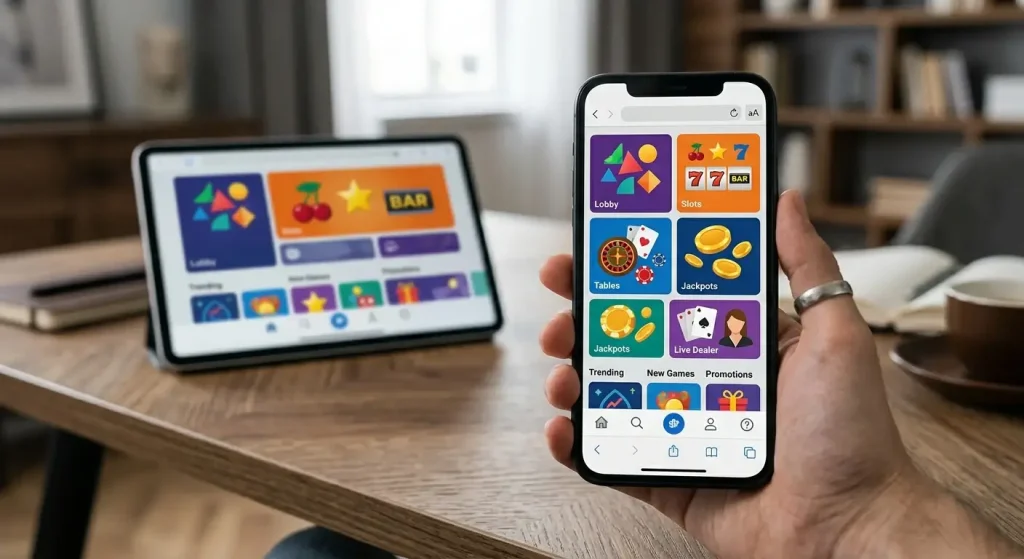
Table of Contents
- NeptunePlay Mobile Casino: App vs Browser Performance
- What browser-first access means on iPhone
- What browser-first access means on Android
- Games and live casino on mobile
- Account access and cashier use in a mobile browser
- Why a browser can be simpler than a native app
- Mobile security checks worth making
- Registration on mobile
- How to judge the mobile experience yourself
- How to verify a future NeptunePlay app claim
- Using NeptunePlay on mobile without a native app
NeptunePlay Mobile Casino: App vs Browser Performance
The direct answer is mobile website. Browser access is available, while no dedicated native NeptunePlay app is currently verified. That distinction matters because unofficial pages can use the word “app” loosely for a shortcut, web app or simple mobile website. A native app normally has a store listing, publisher identity, installation package and update process controlled through the operating-system ecosystem. Those elements are not currently verified for NeptunePlay. The safe route is therefore to use the mobile browser rather than searching for an installer on an unrelated site. No official NeptunePlay download button, app-store rating or native-app installation path is currently verified.What browser-first access means on iPhone
On an iPhone, browser-first access means opening NeptunePlay through a standard web browser and signing in to the same account used elsewhere. There is no need to install a separate casino application. The practical advantage is that the site does not need device storage for a native app package and updates to the casino interface can be delivered through the website. The trade-off is that you do not get native-app features merely because you are on iOS. Any claim about push notifications, Face ID integration or a dedicated App Store build would need separate verification. If you create a home-screen bookmark to a website, treat it as a shortcut unless the operator clearly identifies it as something more. A bookmark is not evidence that a native iOS app exists.What browser-first access means on Android
The same principle applies on Android. The supported route is the mobile browser, not a dedicated Android package. That means there is no need to enable installation from unknown sources or download an APK from a third-party website. This point is especially important for security. Casino-themed APK files found through search can be difficult to authenticate. Without a verified official Android distribution channel, installing a package from an unrelated domain creates unnecessary risk. Use a current mainstream browser, keep the operating system updated and check that you are signing in to the correct service before entering account credentials.Games and live casino on mobile
NeptunePlay includes a live casino, and the broader casino service is available through mobile browsers. For most users, that means the phone is a second screen for the same account rather than a separate mobile product. Live casino is the area where device conditions matter most. A stable connection, enough screen space and reliable audio can make more difference than whether the service is wrapped in an app. If a live stream becomes unstable, moving from a weak mobile connection to reliable Wi-Fi is often more useful than repeatedly reloading the table. Whether you use an iPhone or Android device, you will have full access to the complete library of NeptunePlay slots and table games.Account access and cashier use in a mobile browser
A browser-first casino can still provide access to login, account settings and cashier functions. The key difference is delivery: those tools are presented as responsive web pages rather than native app screens. For payments, the same verification discipline applies on mobile as on desktop. A payment option visible on one device should not be assumed to have different rules simply because the screen is smaller. Check the live cashier for the method, currency, amount and any verification prompt before confirming a transaction. For the verified payment mix and the current £10 minimum deposit, use the payment methods guide. This mobile page does not repeat a full banking table.Why a browser can be simpler than a native app
For some users, browser access is simpler because there is nothing to install and no separate app version to maintain. A saved bookmark can make repeat access quick, while the website itself handles interface changes. That simplicity should not be confused with superior performance in every situation. Native apps can have their own advantages when they are well designed, but NeptunePlay’s current setup is browser-first, so the more useful question is whether the mobile site works for the activities you actually use. If your priority is occasional account access, checking the cashier or playing a supported game on a phone, the absence of an app may be minor. If you specifically want a store-managed application, offline assets or native notifications, that preference matters because those features are not currently verified.Mobile security checks worth making
- Use the legitimate NeptunePlay web address rather than an APK mirror or download directory.
- Keep your browser and phone operating system updated.
- Do not save passwords on a shared device.
- Avoid entering credentials after following an unexpected message or advert.
- Use the account’s own cashier and verification flow for payment or identity steps.
- Sign out if you use a device that other people can access.